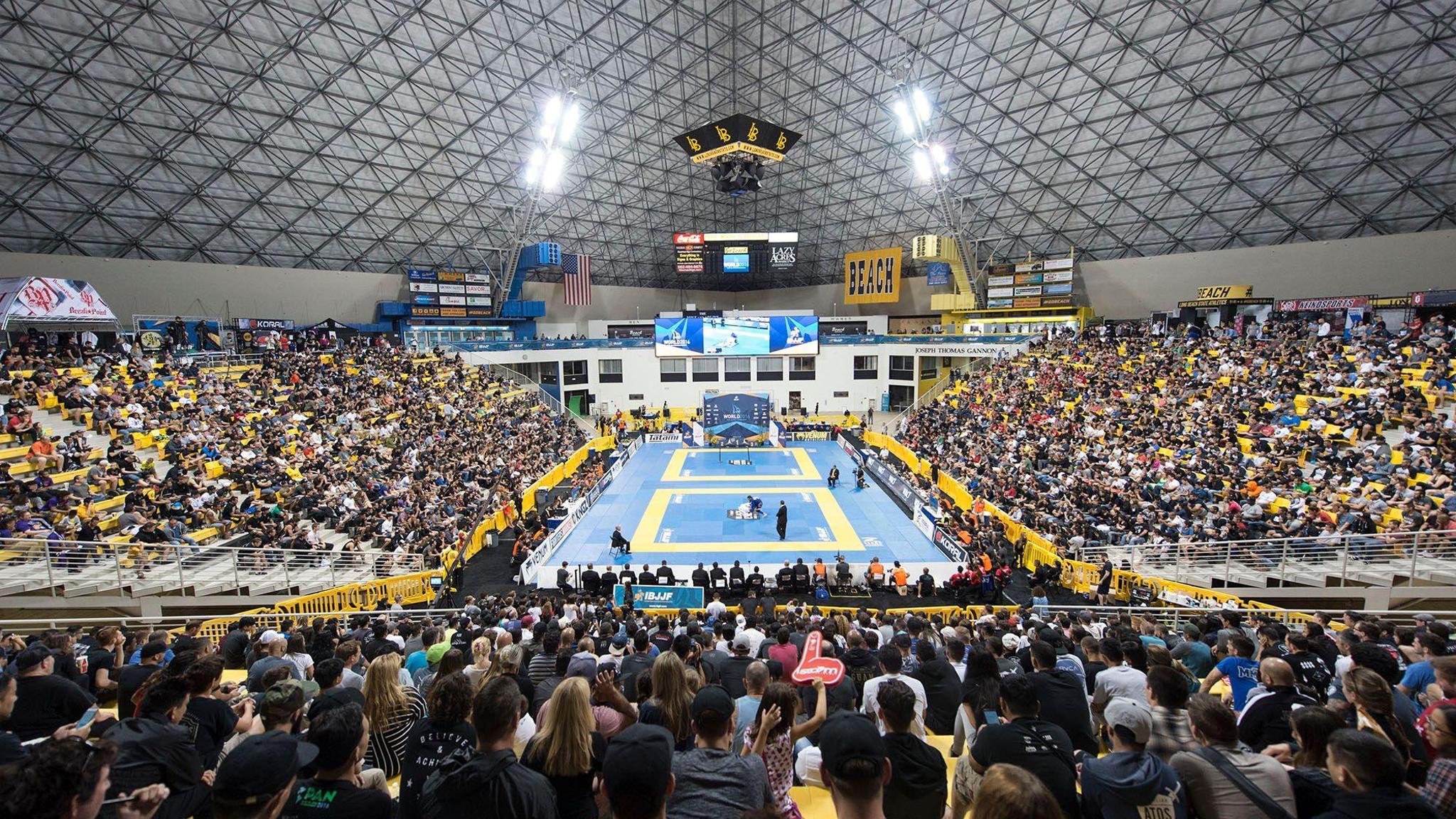

IBJJF Jiu-Jitsu competition arena
Kiso

Academy management
built for Jiu-Jitsu.

Everything your academy needs — memberships, billing, curriculum, attendance, pro shop — in one system built specifically for how Jiu-Jitsu academies work.

Memberships & Billing
Billing that never misses a cycle.

  • Every subscription runs on Stripe’s own infrastructure. If Kiso has a total outage on the 1st of the month, your members still get billed on schedule.
  • Failed charges retry automatically. Subscriptions move from trial to active to past-due without anyone touching a button.
  • Pause, cancel, resume, update cards — all self-service for your members. You handle exceptions, not routine.
Kiso memberships and billing dashboard

Enrollment

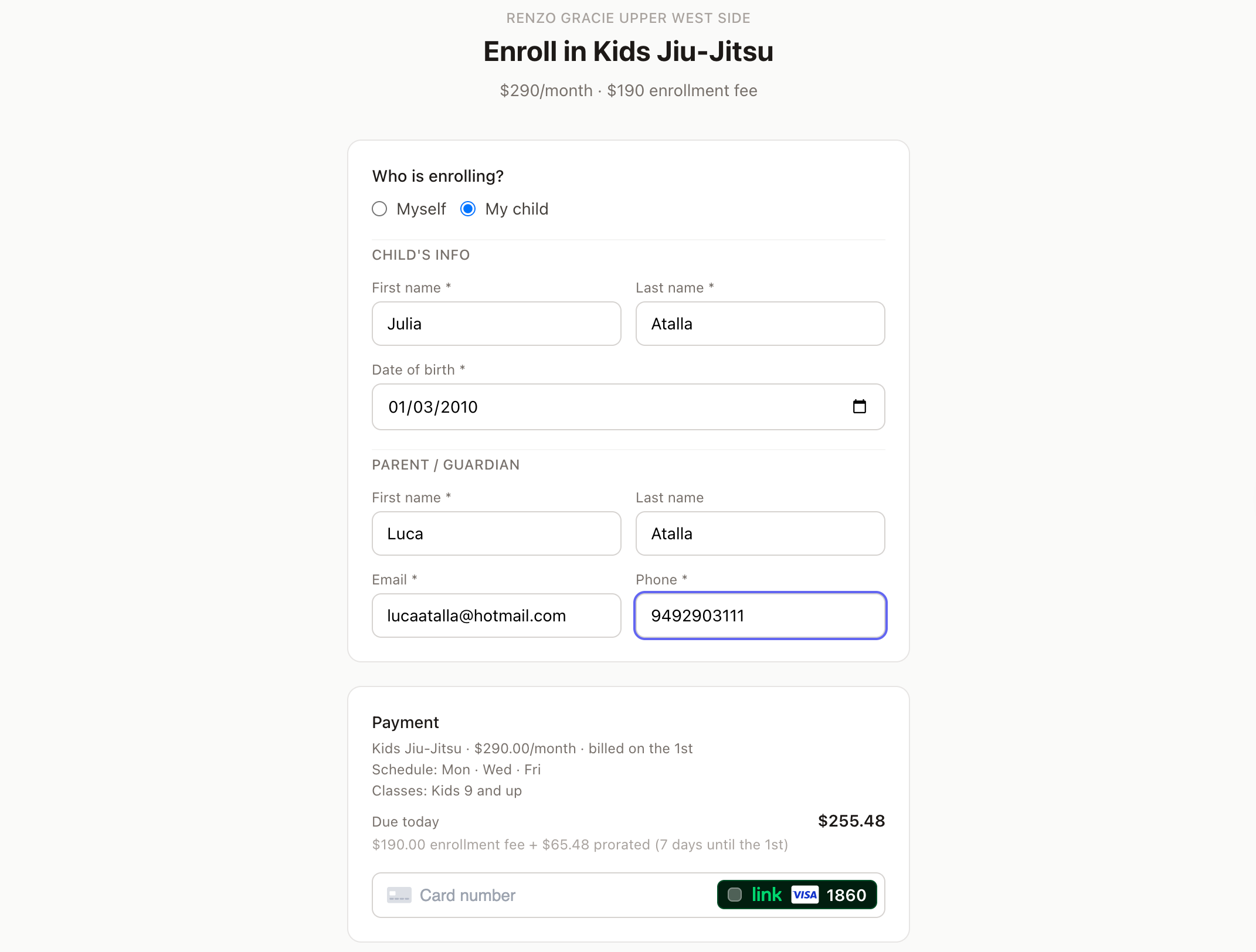
New students sign up on their phone in the parking lot.

  • Text them a link. They fill in their info, enter a card, and they’re enrolled. No app download, no account creation, no password.
  • Prorated billing is automatic. Sign up on the 15th, billing day is the 1st — Kiso computes the charge and starts the subscription. Staff doesn’t calculate anything.
  • Entry fees, free first month, annual plans — all supported in the same enrollment flow.
Kiso self-enrollment flow on mobile

Attendance

Who showed up, who didn’t, who shouldn’t have been there.

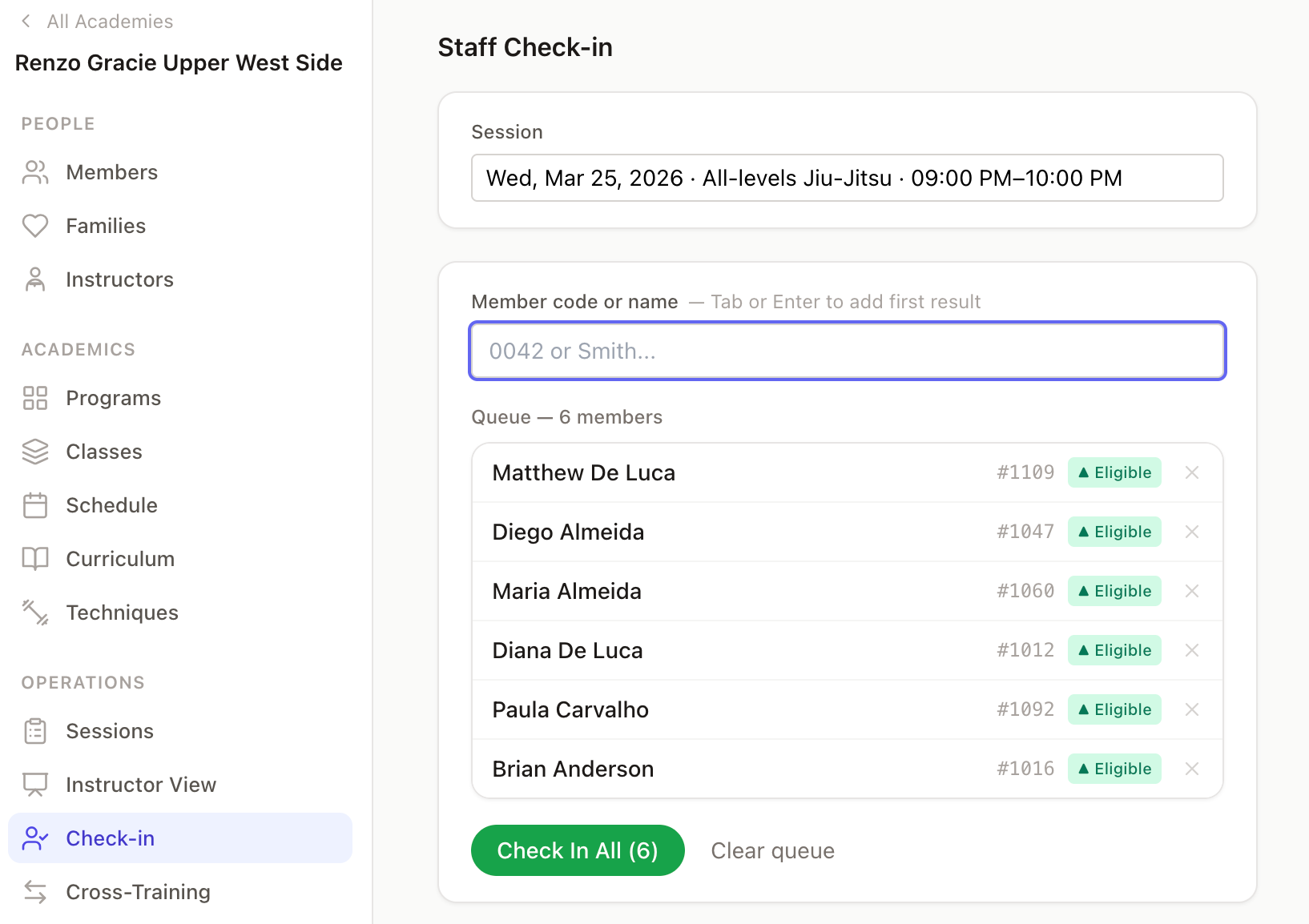
  • Bulk check-in: type a member code or start typing a name, hit Enter, repeat. At your home academy, just type the 5 digits — the system knows the prefix. Visiting members check in with their full code. 30 students in under a minute.
  • Real-time flags on every check-in — paused membership, canceled enrollment, past-due invoice, wrong class. Staff sees the problem before the front desk conversation.
  • Self-service kiosk on a tablet at the door. Cross-training guests show up with a “Guest” badge automatically.
Kiso attendance check-in screen

Curriculum & Lesson Plans

Instructors know what to teach before they walk in.

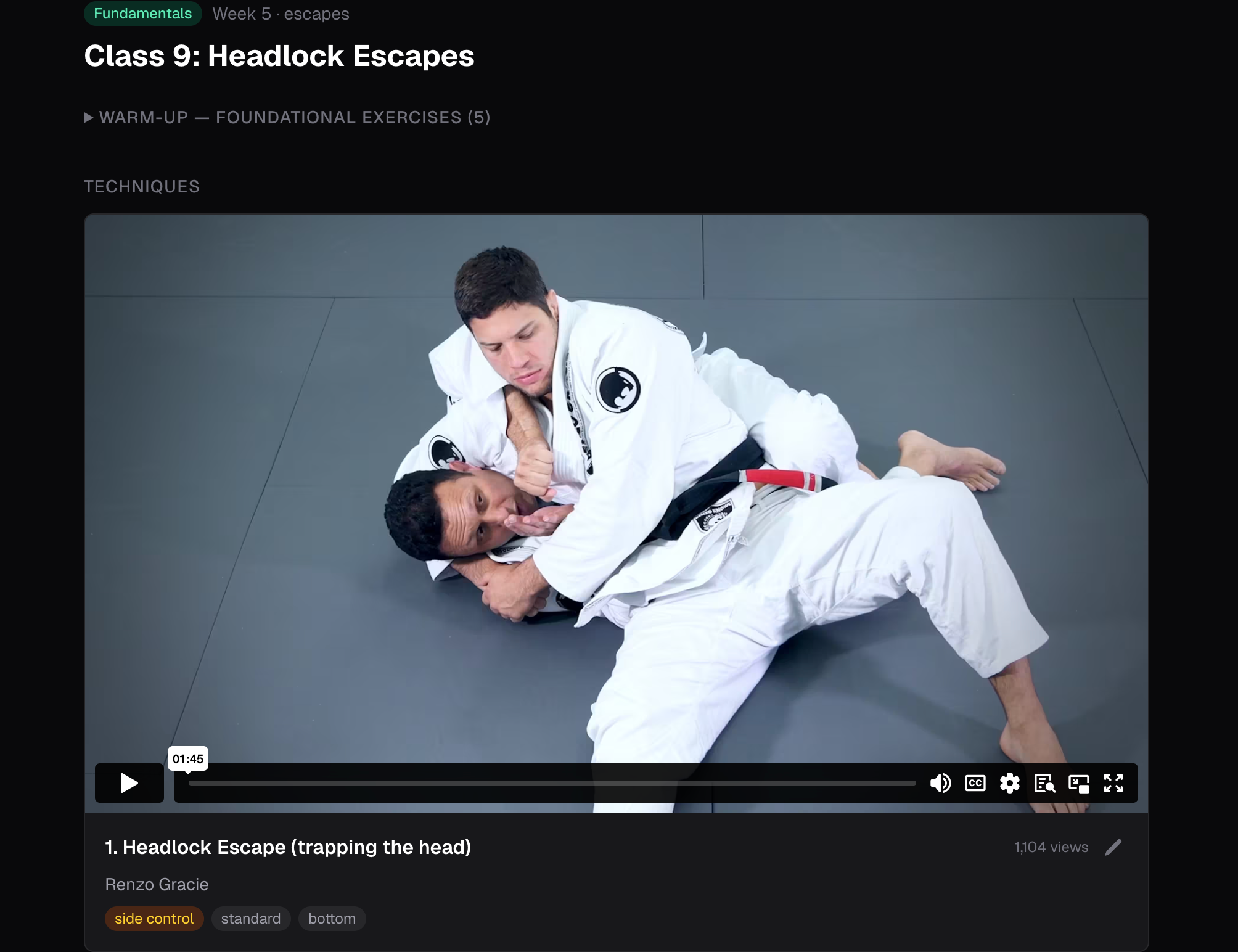
  • Build a 16-class curriculum once. Assign it a pace — 1, 2, or 3 different lessons per week. The system computes today’s lesson. No spreadsheets, no group chats asking “what did we do last week?”
  • Every technique links to a private video. Instructors review the material on their phone before class.
  • After class, staff confirms what was actually taught. One click to copy from the plan, then adjust. This feeds each student’s technique history.
Kiso curriculum and lesson plan view

Schedule

Set it once, sessions generate forever.

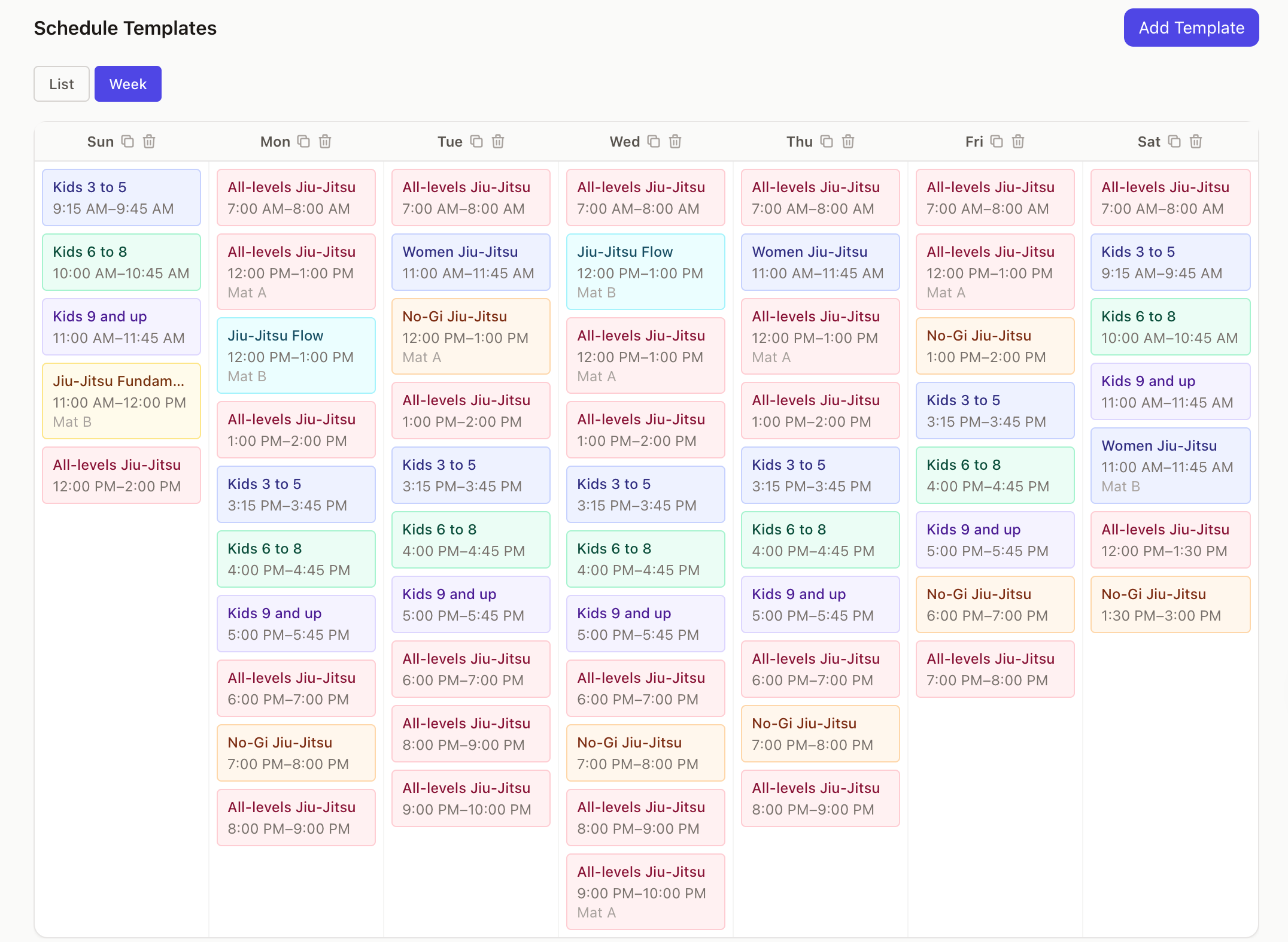
  • Create a template: “Fundamentals, Monday/Wednesday 7pm, Room A, Instructor: John.” All future sessions generate automatically. Change the template — future sessions update.
  • Monday’s schedule looks like Wednesday’s? Copy all Monday templates to Wednesday in one click.
  • When an instructor is out sick, record who actually covered. Both planned and actual instructor are tracked — useful for payroll and accountability.
Kiso class schedule template view

Promotions

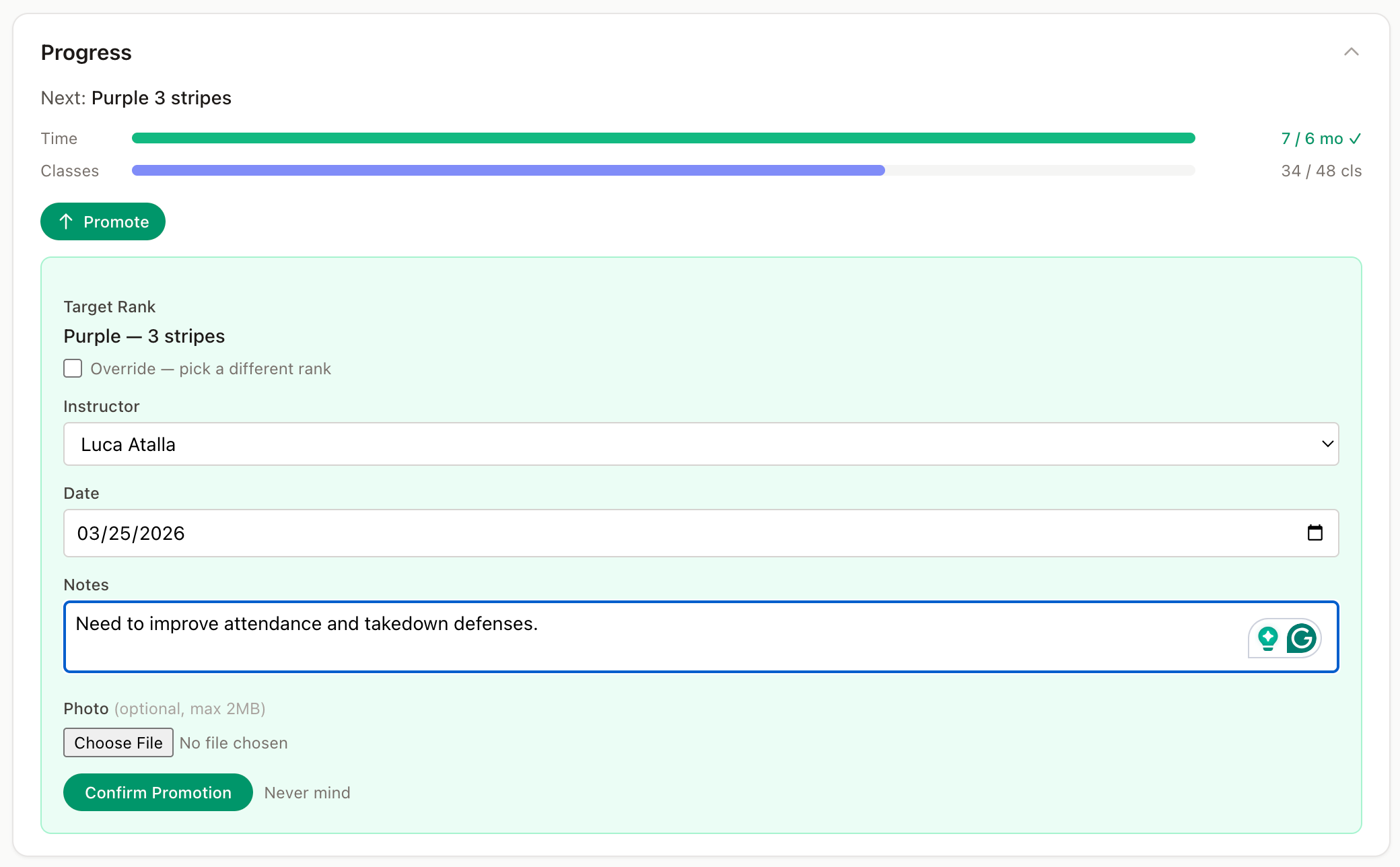
Belt promotions based on data, not just instructor memory.

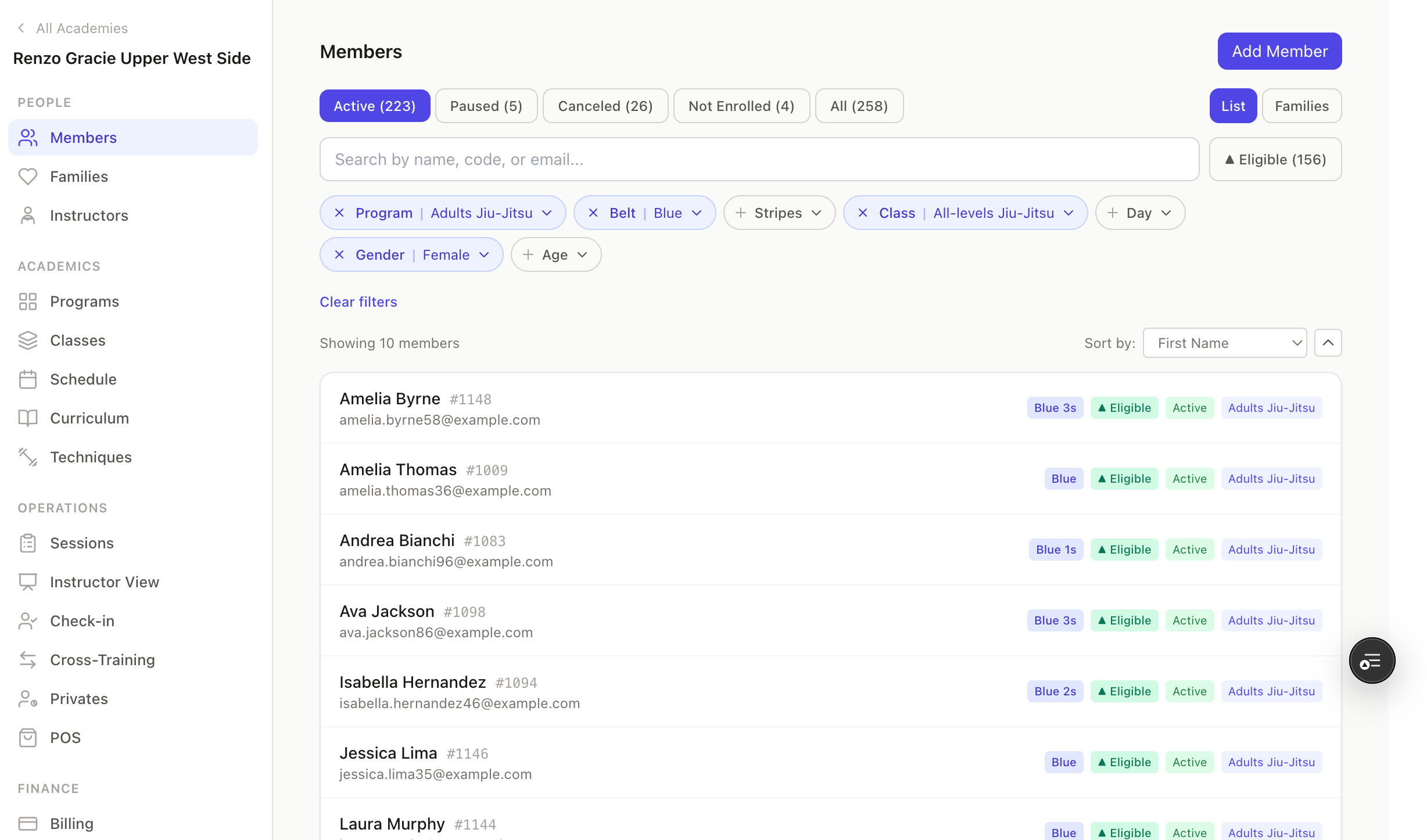
  • Set rules per academy: “Blue belt requires 6 months, 100 classes, and age 16+.” When a member qualifies, the “Eligible” badge appears everywhere staff looks.
  • Every belt and stripe promotion is recorded with date and who promoted them. The member’s full lineage is visible — useful for competition registration and transfer students.
Kiso belt promotion eligibility tracker

Cross-Training

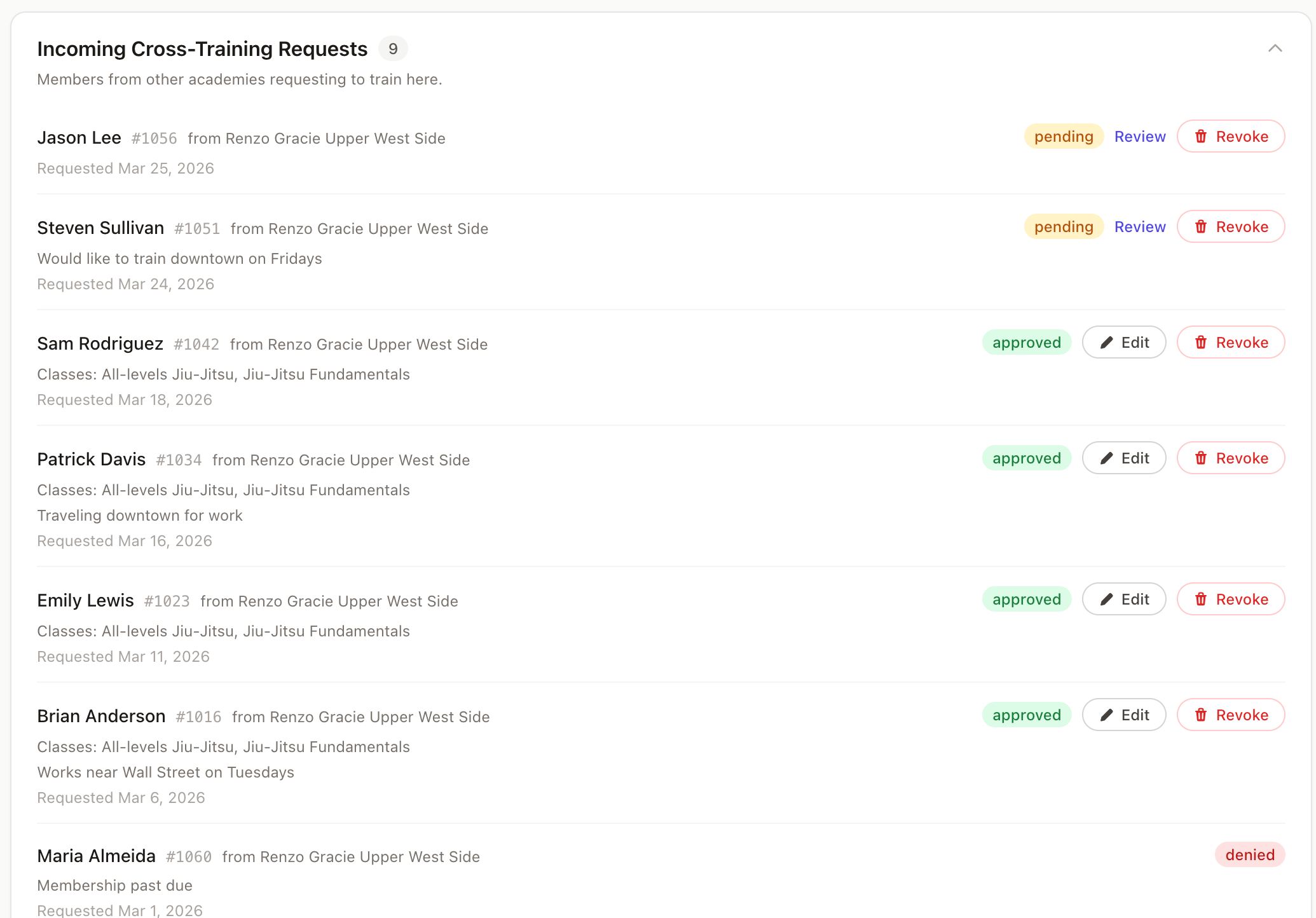
Your students train at partner academies — you know where and when.

  • Every member has a platform-unique code — RG00042 is always the same person, at any academy, on any check-in surface. No collisions, no manual lookups, no “do you mean this Carlos or that Carlos?”
  • Grant a member access to specific classes at another academy — not blanket access, specific classes. The host academy approves or denies.
  • Guests with approved access appear in the host academy’s kiosk automatically. No phone calls, no “I think my professor said it was okay.”
  • Both academies have full visibility. The home academy sees where students are training. The host academy sees who’s visiting. Either side can revoke at any time.
Kiso cross-training access grants

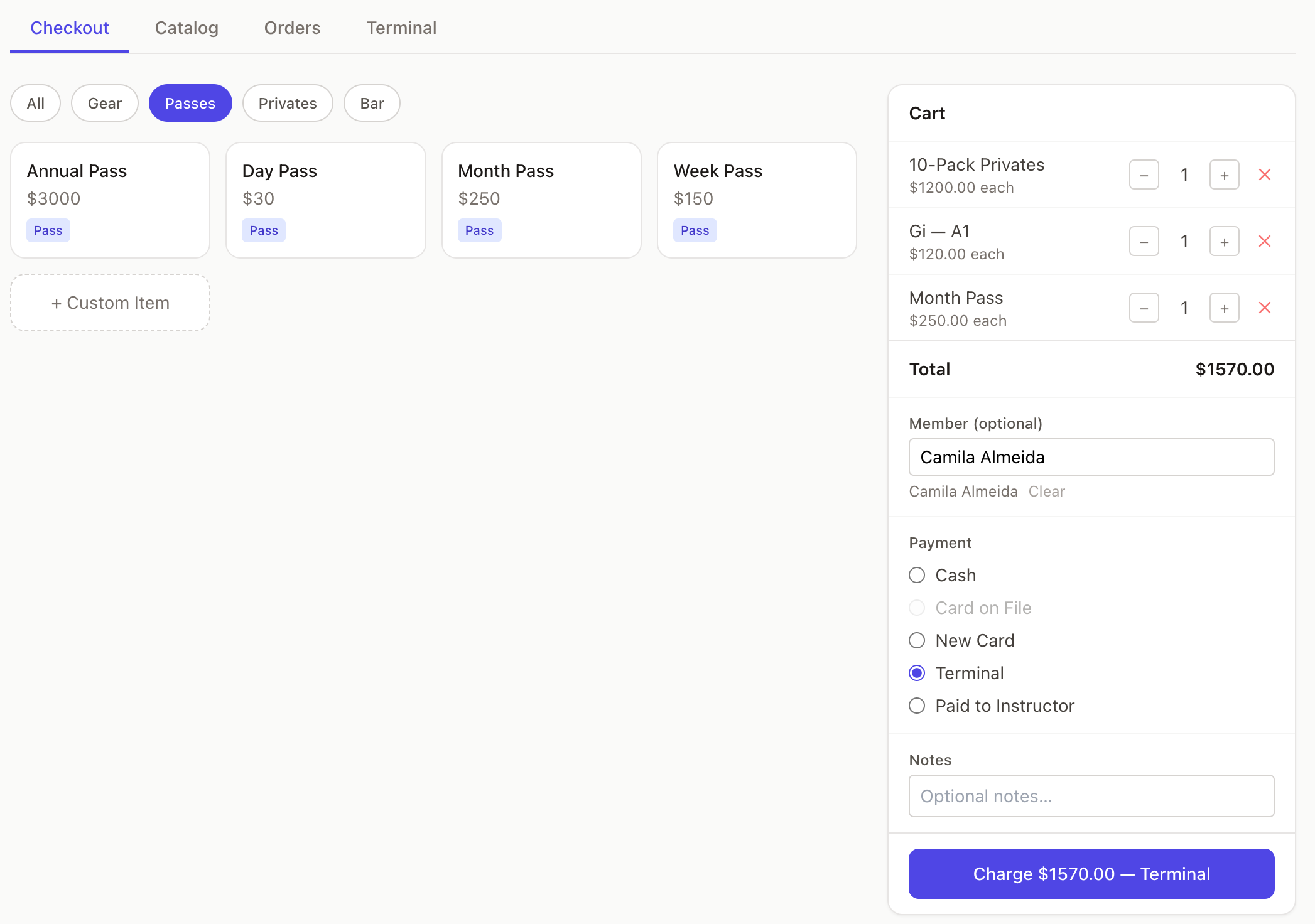
Pro Shop & Payments

Not a cash register bolted onto a gym app.

  • Buying a “10-Class Pass” through the shop creates an enrollment, grants credits, and sets expiry automatically. No manual reconciliation between what was sold and what the member has access to.
  • Instructors sell merchandise, collect for privates, handle walk-ins. Kiso tracks who collected, what they owe back, and when it’s settled.
  • Per-item refunds that automatically reverse access. Not just “refund $5 to the card” — the system state stays consistent.
Kiso pro shop and point of sale

Members & Families

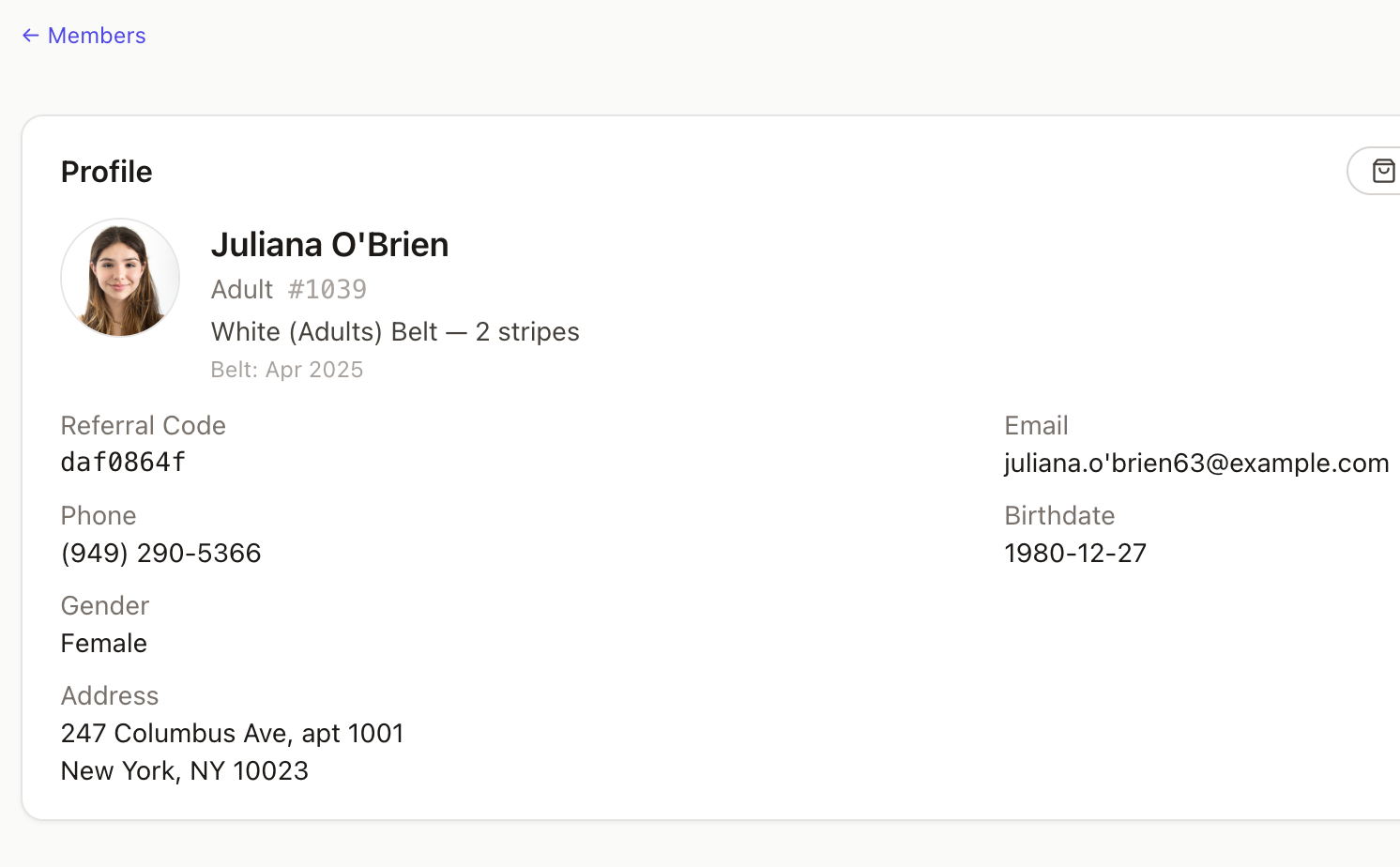
One view per student — everything they are to your academy.

  • Belt rank, enrollment status, billing history, attendance count, family relationships, referral source — all on one page. No jumping between three apps.
  • Parents and children in one family group. The guardian portal lets parents see their child’s enrollment and update the card on file. Minors can’t access billing directly.
  • Graduation eligibility computed automatically based on your academy’s rules. Staff sees an “Eligible” badge in check-in and on the member profile.
Kiso unified member profile

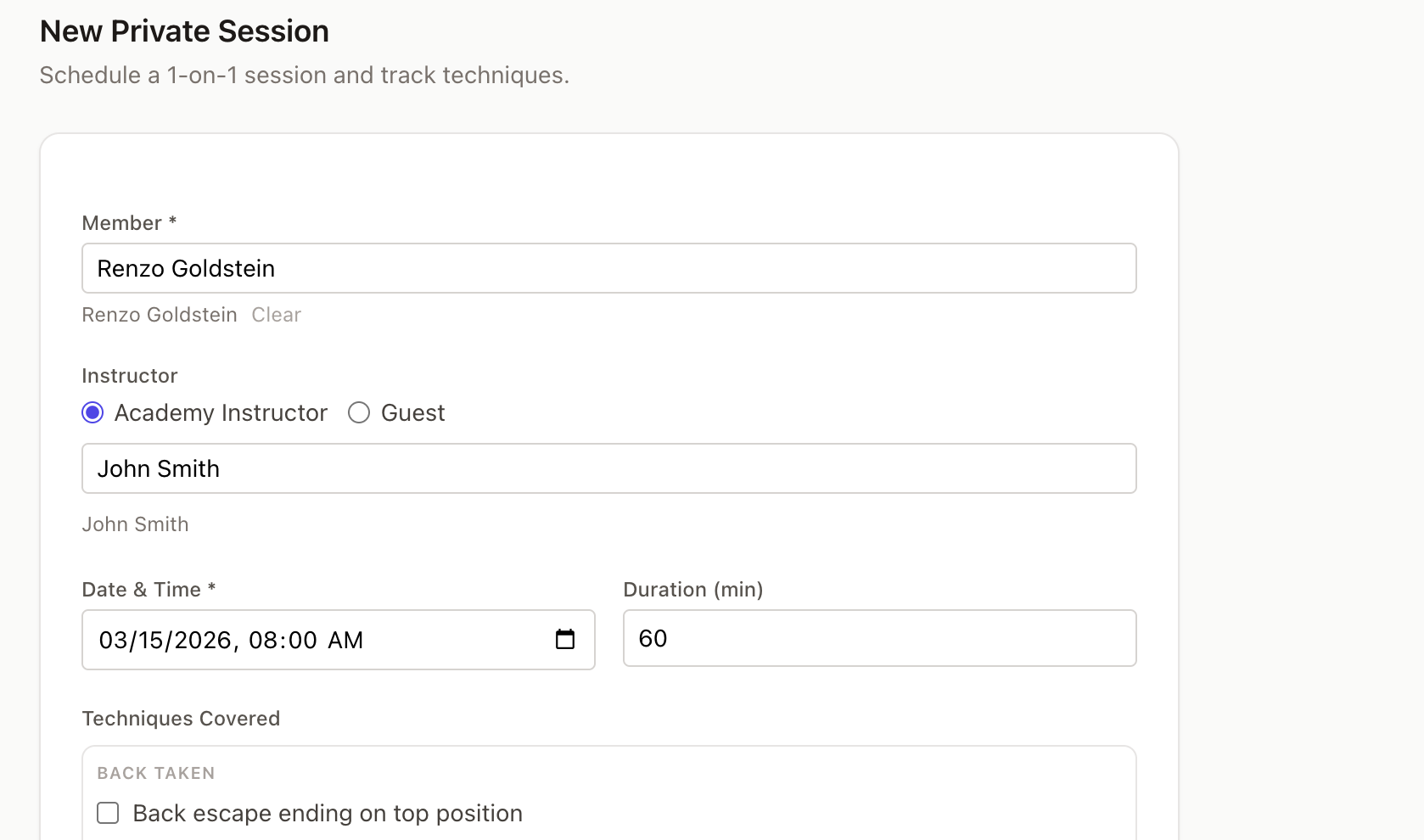
Private Lessons

Credit-based privates with full tracking.

  • A member buys 5 private lesson credits. Each completed session decrements the balance. Staff and member both see remaining credits. No spreadsheet, no honor system.
  • Every private session records which techniques were covered. Over time, the member and instructor can see the full private lesson history — what was taught, when, by whom.
Kiso private lesson credit tracking

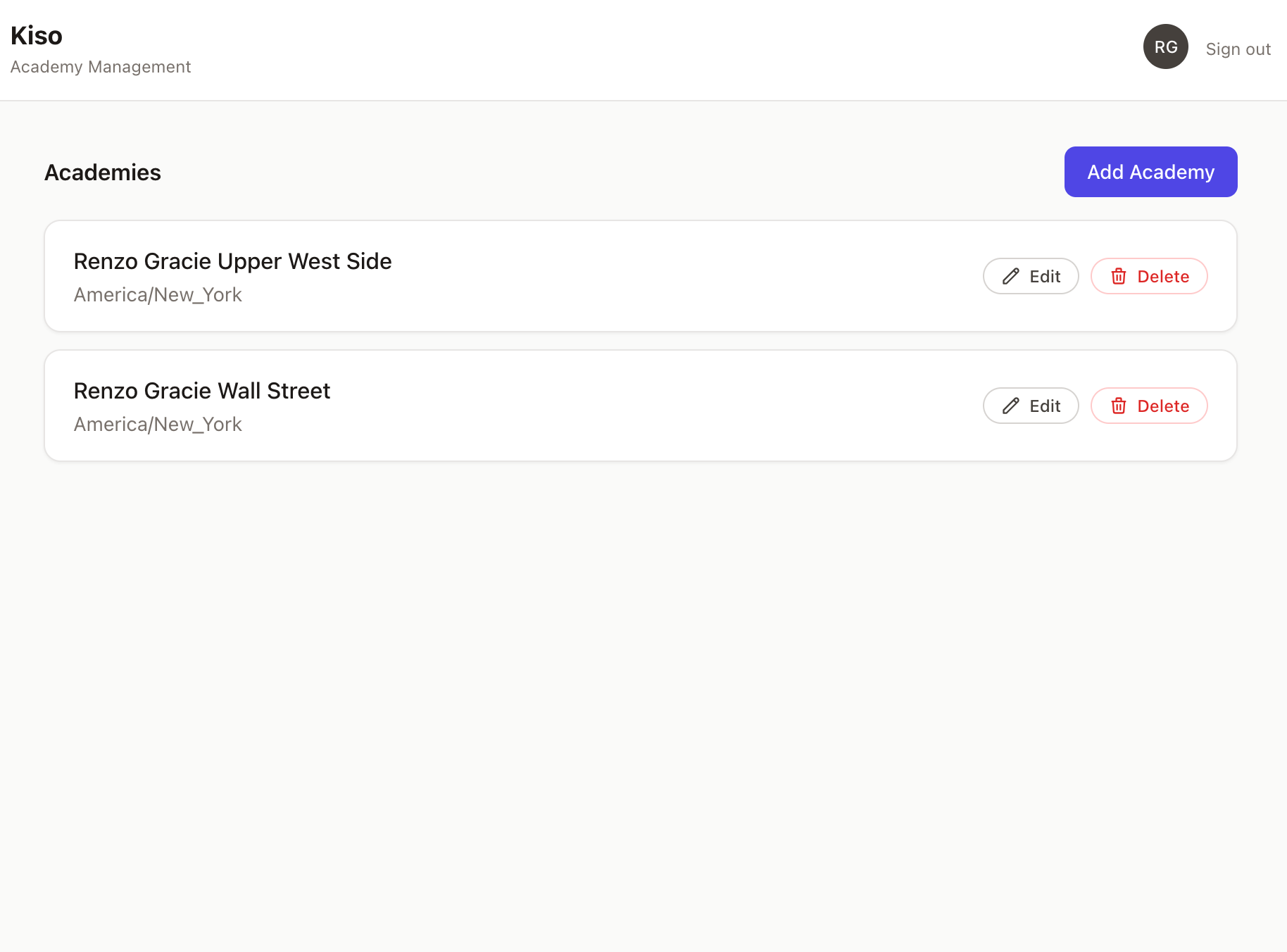
Multi-Academy

One organization, multiple academies, each with its own identity.

  • Each academy has its own billing, class schedule, and shop. A franchise owner sees all locations, but each operates independently.
  • Members enrolled at one location can be granted cross-training access to another. Attendance at both locations is tracked. Billing stays with their home academy.
  • The technique library is shared across the organization. Curriculums, schedules, and billing are per-academy — because each location teaches differently.
Kiso multi-academy organization view

Ready to modernize your academy?

See how Kiso works for your academy. Request a demo and we’ll walk you through everything.